Intro
When you create your Flyout menu, Shell automatically sets the first Flyout items as the default page of your app. Based on your requirements, this might not always be the desired behaviour. This article will show you how to set a default Flyout item in the menu.
The code samples in this article are taken from the Xaminals example app. If you’re not already familiar with this app, you can check it out here. This app shows you the basics of creating a Shell application and you can use it as a base for your own app.
Setting a default Flyout Item
This is the Flyout section of the AppShell.xaml file from the Xaminals app. Please note that I’ve removed some irrelevant attributes for readability.
<FlyoutItem x:Name="shellFirstItem"></FlyoutItem>

<FlyoutItem x:Name="shellAnimals"
            Title="Animals"
            FlyoutDisplayOptions="AsMultipleItems">

    <Tab x:Name="shellDomestic" Title="Domestic">
        <ShellContent x:Name="shellCats" Title="Cats" />
        <ShellContent x:Name="shellDogs" Title="Dogs" />
    </Tab>

    <ShellContent x:Name="shellMonkeys" Title="Monkeys" />
    <ShellContent x:Name="shellElephants" Title="Elephants" />
    <ShellContent x:Name="shellBears" Title="Bears" />

</FlyoutItem>

<FlyoutItem x:Name="shellSomeOtherMenu"></FlyoutItem>
If you would run you app like this, Shell would set the shellFirstItem as the default startup item. In this case we would like to set the shellAnimals the default item. This can easily be done using the following code:
public AppShell()
{
    InitializeComponent();

    // Select a root Flyout item.
    CurrentItem = shellAnimals;
}
If we run the app, this is the result:
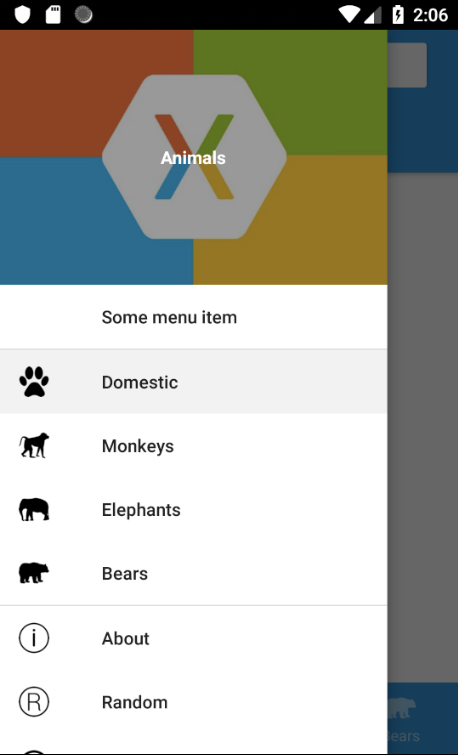
As you can see, the shellAnimals Flyout item is indeed our default menu item. Since it contains four ShellContent items, the first one (Domestic) is selected by default.
Setting a default ShellContent Item
Well that was pretty simple so far. But what if we want to set the Bears page as the default page instead of the Domestic page? This is a bit trickier. The Bears page is a ShellContent inside the shellAnimals Flyout item. The code for this is as follows:
// Select a root Flyout item.
CurrentItem = shellAnimals;

// Select the Bears item inside the root Flyout item.
shellAnimals.CurrentItem = shellBears;
This doesn’t work out-of-the-box unfortunately. The shellAnimals.CurrentItem is a variable of type ShellSection, while shellBears is of type ShellContent. If we would run this code, we would get a NullReference exception.
The solution here is to wrap the bears ShellContent inside a ShellSection tag, like this:
<ShellSection x:Name="shellBears" Title="Bears">
   <ShellContent
        Route="bears"
        Style="{StaticResource BearsShell}"
        ContentTemplate="{DataTemplate views:BearsPage}" />
</ShellSection>
Here is the result:
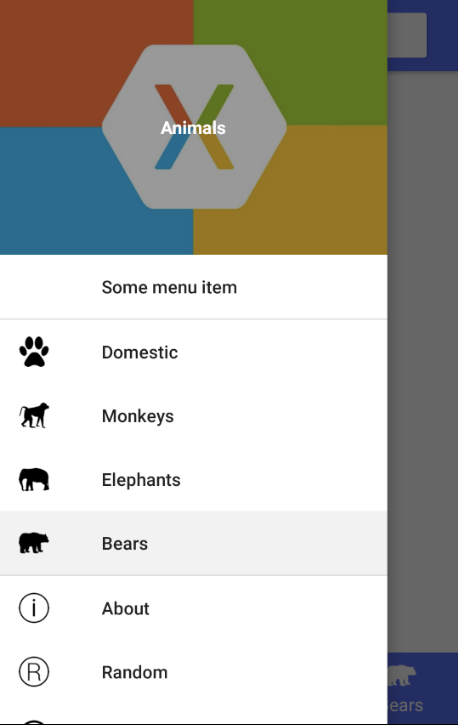
Setting a default ShellContent Item inside a Tab
The last thing we can do is settings a default ShellContent inside a Tab section. As you can see in the following screenshot, the Domestic menu item contains of two tabs: Cats and Dogs.
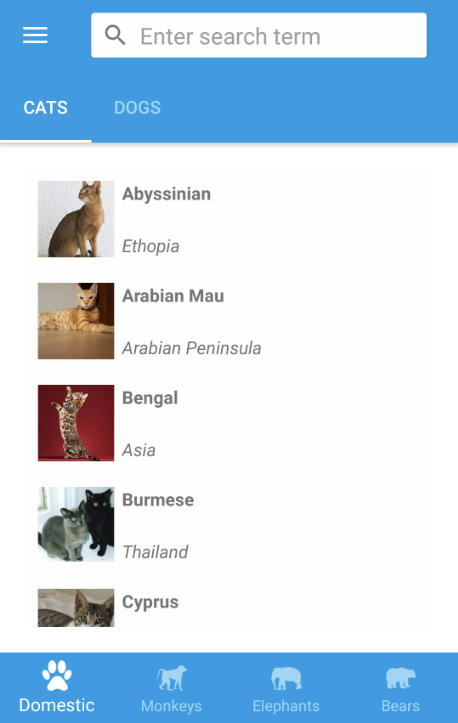
What if we want to select the Dogs tab by default when your app starts? I agree this will not often be a real life scenario, but it’s possible so why not show how to do this?
We need the following code:
// Select a root Flyout item.
CurrentItem = shellAnimals;

// Select the Domestic item inside the root Flyout item.
shellAnimals.CurrentItem = shellDomestic;

// Finally, select the Dogs tab.
shellDomestic.CurrentItem = shellDogs;
And the result:
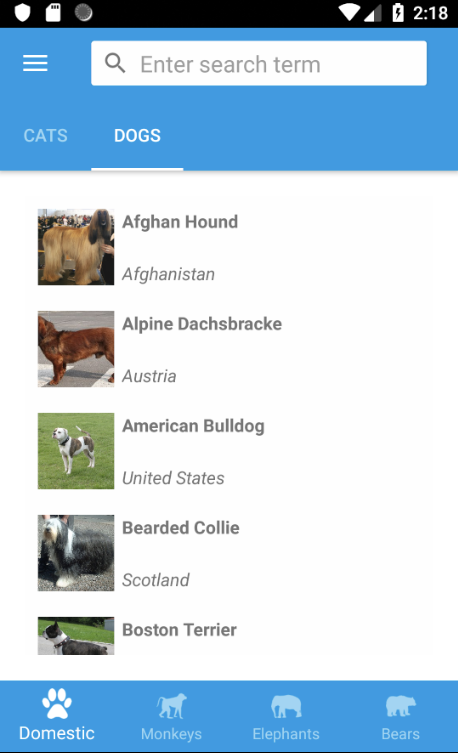
Happy coding!
 Xamarin.Forms dumps
Thank you, I just spend about 2 hours dig in the VS2019 default flyout template that how come the app startup with AboutPage.xaml but no such cs code or xaml code define startup page.
LikeLike